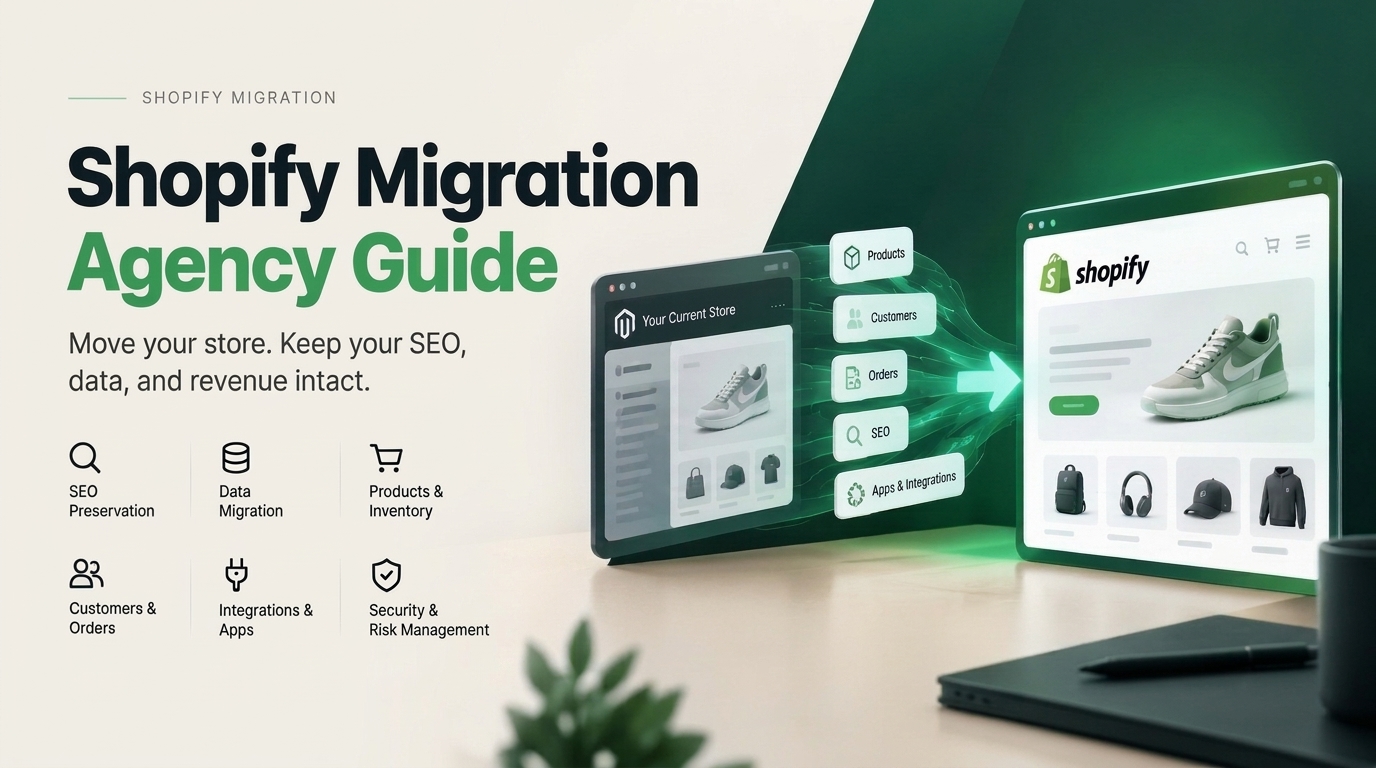
( FIG. 01 ) Cover
/ Journal — Migration
Shopify Migration Agency: How to Choose the Right Partner Without Risking SEO, Data or Revenue
Choosing a Shopify migration agency is not really about finding someone who can import products into Shopify. The difficult part is moving an existing ecommerce business without losing the things that already work: organic traffic, customer history, integrations, analytics, operational processes, and revenue.
( The short answer )
A good Shopify migration agency does much more than move data.
That is why a migration should be treated differently from a normal website build.
Your current store may have years of product data, indexed URLs, backlinks, customer records, reviews, subscriptions, ERP connections, email automations, analytics events, and business rules that nobody remembers setting up.
A new Shopify storefront can look perfect and still be a failed migration if those systems do not survive the move.
It should take responsibility for five things: data integrity, SEO continuity, storefront functionality, integrations, and a controlled launch with post-migration monitoring.
If an agency’s migration plan begins with choosing colors and ends with importing a CSV, there are probably important parts missing.
/ Workstreams ( 07 )
What does a Shopify migration agency actually do?
A Shopify migration agency helps an existing ecommerce business move from another platform to Shopify or Shopify Plus while keeping the business operational throughout the transition.
The visible storefront is only one part of the project. A proper migration usually involves several separate workstreams running together.
01Store and data inventory
Products, variants, collections, customers, historical orders, content, reviews, metafields, redirects, apps, subscriptions and integrations need to be identified before anything moves.
02Data mapping and migration
The old platform’s data model needs to be translated into Shopify’s structure without quietly dropping fields, relationships or business-critical information.
03SEO migration
Existing URLs, metadata, internal links, high-value content and organic landing pages need a deliberate migration strategy rather than being dealt with after launch.
04Storefront rebuild
The existing experience is either recreated or redesigned as a custom Shopify storefront using a theme architecture your team can manage after launch.
05Apps and integrations
ERP, 3PL, CRM, email, reviews, subscriptions, search, loyalty, analytics and other systems need to be replaced, reconnected or rebuilt.
06QA and reconciliation
The agency verifies that the number of products, customers, orders and other records that arrived matches what was expected, while also testing real storefront and checkout journeys.
07Cutover and monitoring
The existing store continues trading while the Shopify version is prepared. The actual switch happens only after the new system has been tested, with monitoring continuing after launch.
This is why the best ecommerce migration agencies talk about migrations as a systems project rather than simply a website project.
/ Fit
Do you actually need a Shopify migration agency?
Not every store does.
If you have 30 products, little organic search traffic, no custom integrations, a straightforward theme, and clean customer data, a careful internal team or an experienced Shopify developer may be able to manage the move without a specialist migration agency.
The calculation changes as soon as the business becomes more complicated.
( An agency is worth it if… )
+You have hundreds or thousands of products
+SEO drives meaningful revenue
+You need customer and order history preserved
+You rely on ERP, 3PL, subscription or B2B systems
+Your existing platform contains custom logic
+A failed launch would be expensive
( You may not need one if… )
–Your catalogue is small and simple
–You have little historical order data
–Organic search is not an important acquisition channel
–You use few apps or integrations
–Your team already understands Shopify well
–Downtime would not materially hurt the business
The question is not whether Shopify itself is difficult to use. The question is how much business history and technical complexity needs to survive the move.
/ Where migrations fail ( 05 )
The biggest risk in a Shopify migration is usually not Shopify.
Shopify migrations tend to fail in the gaps between the old system and the new one. Those gaps are where experienced migration teams spend most of their time.
01 · SEO
SEO URLs change without proper redirects
Your existing platform and Shopify may structure product, collection and content URLs differently.
If Google has spent years indexing the old URLs, simply launching the new Shopify versions creates a problem. Search engines and users still arrive at the old addresses.
A Shopify SEO migration therefore needs a complete inventory of existing URLs and a deliberate old-to-new mapping before launch.
02 · Data
Data arrives, but does not arrive correctly
A successful import message does not prove that the migration is accurate.
Products can arrive with missing options. Variant relationships can break. Customer fields can be incomplete. Historical orders can be associated incorrectly. Custom attributes can disappear because nobody decided where they belonged in Shopify.
This is why migration work needs reconciliation, not just importing.
03 · Plugins
Old plugins hide important business logic
A Magento extension or WooCommerce plugin may look unimportant until someone discovers that it controls wholesale pricing, inventory rules, bundles, shipping logic or subscription behaviour.
Good migration discovery asks what each system actually does before deciding whether Shopify can replace it natively, whether an app is appropriate, or whether custom development is required.
04 · Tracking
Tracking gets rebuilt too late
Analytics often becomes a launch-day task. That is dangerous because the first days after a migration are exactly when you need reliable data.
Revenue, conversion rate, checkout completion, organic traffic, paid attribution, errors and key landing pages should be measurable from the moment the new store goes live.
05 · After launch
The agency disappears after launch
A migration is not finished when DNS changes.
Real customers discover problems that staging environments do not. Search engines begin crawling the new URL structure. Email flows start using live customer data. Warehouse orders start passing through production integrations.
The migration team should still be watching.
( Checklist )
SEO should be a migration workstream, not a launch checklist item.
For established ecommerce brands, this is one of the most important differences between a normal Shopify build and a real Shopify migration.
A redesign asks, “What should the new site look and feel like?”
A migration also has to ask, “What does Google already understand about this business, and how do we make sure we do not throw that away?”
A sensible Shopify SEO migration should account for:
+Every important indexed URL
+Existing organic landing pages
+301 redirect mapping
+Page titles and meta descriptions
+Heading structure
+Canonical tags
+Structured data
+Internal links
+Image URLs and alt text where relevant
+International and hreflang setup where applicable
+XML sitemap submission
+Google Search Console monitoring after launch
The biggest mistake is assuming that a redirect spreadsheet can be created after the new Shopify site has already been designed.
URL planning should happen early enough to influence the new information architecture.
( URLs first )
For a migration, URLs first and design second is often the safer order.
/ What moves
What should move to Shopify?
The answer depends on the business, but a Shopify migration agency should give you an explicit inventory of what is moving, what is being rebuilt, what is being replaced, and what is intentionally being left behind.
Area Typical migration requirement
ProductsTitles, descriptions, variants, SKUs, prices, images, inventory references and product attributes.
CollectionsCategory structure, merchandising rules and collection content rebuilt around Shopify.
CustomersCustomer records, addresses, tags and other useful account data.
Order historyHistorical orders preserved where required for support, reporting and customer history.
ContentPages, blogs, guides, policies and other content worth retaining.
SEOURL map, redirects, metadata, content, structured data and monitoring.
ReviewsProduct reviews, ratings, photos and review-provider history where supported.
SubscriptionsSubscription products, customer agreements and billing workflows need separate planning.
IntegrationsERP, 3PL, PIM, accounting, CRM, email and other external systems reconnected or rebuilt.
AnalyticsMeasurement, conversion events, attribution and reporting recreated and validated.
Migration is also a good opportunity to stop carrying technical debt that no longer serves the business.
If an old app has not been used in two years, or 40,000 legacy URLs no longer have value, moving them simply because they exist may not be the right decision.
/ By platform ( 06 )
Migrating from WooCommerce, Magento, BigCommerce or a custom platform.
The migration process is broadly similar across ecommerce platforms, but the risks are not identical.
01 · WooCommerce
WooCommerce to Shopify
WooCommerce stores often accumulate functionality through WordPress plugins. The important work is identifying which plugins affect the buying journey, subscriptions, SEO, customer accounts, shipping or operations before replacing them.
02 · Magento
Magento to Shopify
Magento migrations tend to involve larger catalogues, custom extensions, unusual product structures, B2B logic, ERP connections and years of accumulated URLs. Discovery and data mapping become especially important.
03 · BigCommerce
BigCommerce to Shopify
Much of the catalogue data may translate cleanly, but themes, apps, checkout behaviour, promotions and URL structures still need to be rebuilt around Shopify rather than copied blindly.
04 · Custom
Custom platform to Shopify
Custom platforms require the most investigation because there may be no standard export format or documentation. The first job is understanding what data exists, where it lives and which business rules are hidden inside custom code.
05 · Wix / Squarespace
Wix or Squarespace to Shopify
These migrations are often less technically complex, but content, SEO, product structure, domain setup and existing traffic still deserve a controlled migration rather than a fresh start.
06 · Shopify Plus
Shopify Plus migration
A Shopify Plus migration may involve B2B, multiple markets, ERP or OMS systems, custom checkout requirements, automation, larger catalogues and more stakeholders. The project becomes an ecommerce architecture exercise, not just a storefront move.
/ Redesign or not
Should you redesign the store during a Shopify migration?
This is one of the most important decisions to make early. A migration and a redesign can happen together, but they do not have to.
If the existing user experience is genuinely holding the business back, rebuilding it during the move can avoid paying for two projects.
But changing the platform, URL structure, content, navigation, design and conversion funnel all at once also introduces more variables.
( Redesign during migration when… )
+The current theme is already limiting conversion
+The navigation no longer reflects the catalogue
+Mobile UX is poor
+The brand has significantly evolved
+The current frontend cannot reasonably be recreated
( Move like-for-like when… )
–The existing experience converts well
–The main problem is the underlying platform
–Migration risk needs to stay low
–The launch window is tight
–A redesign can sensibly happen later
A good Shopify migration agency should not automatically recommend the larger project.
Sometimes migrating first and improving the experience once the new platform is stable is the more responsible decision.
/ Your options ( 04 )
Shopify migration agency vs migration app vs freelancer.
There are several ways to migrate to Shopify, and the agency route is not always necessary.
01 · App
Migration app
Best for: Small stores with standard data and little complexity
Main limitation: Moves data, but does not own the wider migration strategy
02 · Freelancer
Freelance developer
Best for: Smaller migrations with a clear technical scope
Main limitation: May not cover SEO, design, data, QA and integrations as separate disciplines
03 · In-house
Internal team
Best for: Businesses with experienced ecommerce and engineering staff
Main limitation: The team still needs time and migration-specific expertise
04 · Agency
Migration agency
Best for: Established brands where SEO, data, integrations and launch risk matter
Main limitation: Higher initial investment than a simple import
The more revenue and operational complexity tied to the existing store, the less useful it becomes to judge migration options only by upfront cost.
/ Questions to ask ( 10 )
How to choose the right Shopify migration agency.
This is where most of the buyer’s work should happen.
A polished Shopify portfolio tells you that an agency can build attractive stores. It does not necessarily tell you whether they can migrate an established ecommerce operation safely.
Ask questions that expose how the team thinks when something goes wrong.
01What happens before you start designing?
You want to hear about audits, data inventory, integrations, analytics, URL crawling and migration planning.
If the answer immediately moves into wireframes and homepage concepts, migration risk may not be getting enough attention.
02How do you protect our existing SEO?
Ask what happens to existing URLs, redirects, metadata, content, structured data, internal links, Search Console and post-launch monitoring.
03How do you verify migrated data?
The right answer involves validation and reconciliation, not simply trusting that an import completed successfully.
04What happens to our current apps and integrations?
The agency should audit what each one does, then recommend whether it should be replaced with Shopify functionality, another app or custom development.
05Who owns the migration technically?
Find out who is responsible for data, SEO, development, integrations and launch decisions. You do not want everyone involved but nobody accountable.
06Can we see the store throughout development?
A migration should not disappear into an agency for two months and return on launch week. Your team should have visibility into the work as it progresses.
07How is launch handled?
Ask about the cutover sequence, DNS, redirects, testing, payment processing, order flow, integrations and what happens if something fails.
08What do you monitor after launch?
The agency should have a clear answer involving real orders, analytics, errors, Search Console, redirects, integrations and customer issues.
09What will our team own when the project ends?
Your Shopify store, code, accounts, domains, data and important integrations should not quietly become dependent on the agency remaining involved forever.
10What would make you tell us not to migrate?
This question is surprisingly useful.
A good migration partner should be capable of telling you when Shopify is not the right move yet, when your current platform needs fixing first, or when a smaller migration scope would be safer.
/ Red flags ( 08 )
Red flags when comparing Shopify migration agencies.
01“We guarantee zero SEO movement.” Migration risk can be managed carefully, but responsible teams should not pretend search engines are completely under their control.
02No discussion of existing URLs. For a store with established organic traffic, this is a major warning sign.
03No data reconciliation plan. Importing is not the same as verifying.
04No questions about your integrations. Your storefront may be only one part of the ecommerce system.
05The project starts with design. Discovery should come first.
06No clear cutover plan. “We will publish the new site” is not enough.
07No post-launch period. A migration needs stabilization after real traffic begins hitting the new store.
08Everything requires a new app. Migration is a chance to simplify the stack, not rebuild the same technical debt inside Shopify.
/ Timeline ( 10 )
How long does a Shopify migration take?
There is no useful universal answer because catalogue size is only one variable.
A relatively simple migration can move quickly. A large ecommerce business with B2B pricing, several markets, ERP integration, subscription customers and years of SEO history is a different project entirely.
The factors that usually affect the timeline most are:
+Size and quality of the existing catalogue
+Number of customer and historical order records
+Platform being migrated from
+Amount of custom functionality
+ERP, PIM, OMS and 3PL integrations
+Subscription or loyalty systems
+Number of markets and storefronts
+SEO complexity and number of indexed URLs
+Whether the storefront is being redesigned
+How quickly stakeholders can review and approve work
Be more cautious of an agency that gives you a migration date before understanding those variables than one that asks difficult questions before committing to a timeline.
( Before you compare quotes )
How much does a Shopify migration agency cost?
Shopify migration pricing varies widely because “migration” can mean anything from moving a small WooCommerce catalogue to rebuilding an enterprise ecommerce operation with custom integrations.
Instead of comparing proposals only by the final number, compare what responsibility each agency is actually taking.
A migration proposal should make it clear whether the price includes:
A cheap proposal that excludes SEO, integrations and post-launch work may simply be pricing a much smaller project.
01Discovery and technical audit
02Data migration
03Data validation
04SEO migration
05Theme design or rebuild
06App configuration
07Custom integrations
08Analytics migration
09Testing
10Launch and cutover
11Post-launch monitoring
( Our position )
How we approach Shopify migrations at Signature Works.
We treat replatforming primarily as a risk-management project.
The storefront matters, but protecting the business underneath it comes first. That means understanding the existing store before deciding what the new one should become.
01
Stage 01
Inventory
We identify the URLs, products, customers, order history, apps, integrations and important functionality that exist today.
02
Stage 02
Mapping
We decide where everything belongs in Shopify and map old URLs to their new destinations before launch.
03
Stage 03
Rebuild
Products, content, storefront functionality and integrations are moved or rebuilt around Shopify rather than blindly copied from the old platform.
04
Stage 04
Validate
Data counts, customer journeys, integrations, checkout, analytics and redirects are tested before the switch.
05
Stage 05
Cut over
The new Shopify store replaces the existing storefront in a controlled launch rather than a rushed big reveal.
06
Stage 06
Watch
After launch, we monitor what happens with real customers, real orders, organic traffic and production integrations.
We also believe the merchant should understand what moved and own the system when the work is finished. That is how we run all of our Shopify migrations.
/ In plain terms
The right Shopify migration agency should make the move feel boring.
If you are comparing Shopify migration agencies, do not judge them only by their best-looking storefront. Ask to see the thinking underneath the migration.
That may sound like a strange standard for an ecommerce project. But a migration is not the place for surprises.
You want the exciting part to be what the business can do after moving to Shopify: faster development, a cleaner technology stack, easier merchandising, better customer experiences and fewer platform constraints.
The actual migration should feel controlled. Products where they belong. Customers accounted for. Integrations working. Redirects tested. Orders flowing. Analytics recording. Search engines finding the new URLs.
( The standard )
The best Shopify migration is the one your customers barely notice.
/ FAQ ( 12 )
Frequently asked questions about Shopify migration agencies.
What does a Shopify migration agency do?
A Shopify migration agency manages the move from an existing ecommerce platform to Shopify or Shopify Plus. This normally includes migration planning, product and customer data, historical orders, SEO redirects, storefront development, apps and integrations, QA, launch and post-migration monitoring.
Is it worth hiring a Shopify migration agency?
It becomes more worthwhile as the risk and complexity of the existing store increases. If organic search drives meaningful revenue, your catalogue is large, you have important integrations, or downtime and data loss would be expensive, specialist migration support can reduce considerable risk.
Will migrating to Shopify hurt SEO?
Any major replatform can affect organic search if URLs, content, internal links or technical signals change. A careful migration reduces avoidable damage by inventorying existing pages, mapping old URLs to relevant new URLs, implementing redirects, preserving important content and metadata, and monitoring Search Console and organic landing pages after launch.
Can a Shopify migration agency move customer and order data?
Yes. Customer records and historical order information are commonly part of Shopify migration projects. Exactly what can be carried across and how it appears in Shopify depends on the source platform, data quality and migration method, so this should be defined during discovery.
Can you migrate from WooCommerce to Shopify?
Yes. WooCommerce to Shopify is a common migration path. The important work is not only moving products and customers, but also reviewing WordPress plugins, subscriptions, SEO URLs, content, payment workflows and other functionality that needs an equivalent on Shopify.
Can you migrate from Magento to Shopify?
Yes. Magento migrations can be more involved because established stores often contain large catalogues, custom extensions, complex product structures, B2B rules and integrations with ERP or other operational systems. These should be audited before migration work begins.
Can you migrate from BigCommerce to Shopify?
Yes. Products, customers, content and other data can be moved from BigCommerce to Shopify, while storefront functionality, apps, integrations, checkout behaviour and SEO URL changes need to be planned separately.
How long does a Shopify migration take?
The timeline depends on catalogue size, data quality, integrations, custom functionality, SEO complexity and whether the store is being redesigned at the same time. A migration agency should understand those variables before committing to a reliable launch date.
How much does a Shopify migration agency cost?
There is no single useful market price because migration scope varies enormously. Compare whether proposals include discovery, data migration, SEO, design and development, integrations, analytics, testing, cutover and post-launch support rather than comparing the headline figure alone.
Should we redesign our website while migrating to Shopify?
Only when there is a good reason. If your current UX is already costing sales, combining the projects can make sense. If the existing experience performs well and the platform itself is the problem, a lower-risk migration followed by a later redesign may be the better approach.
What should I ask a Shopify migration agency before hiring them?
Ask how they handle URL mapping, SEO, data reconciliation, integrations, launch-day cutover, post-launch monitoring and ownership of the final code and accounts. Also ask what would make them recommend against migrating. Their answers will usually reveal more than a portfolio.
Do we need Shopify Plus for a migration?
No. Many businesses migrate successfully to standard Shopify plans. Shopify Plus becomes relevant when the business requires enterprise-level functionality, higher complexity, B2B capabilities, larger organizational requirements or other features that justify the platform.
The questions ecommerce teams usually ask before choosing an agency to migrate an existing store to Shopify.
( Planning a move to Shopify? )
Before you migrate, let’s map what cannot afford to break.
Tell us what platform you are on, what your current store connects to, and what worries you most about the move. We will tell you what needs to move, what should be rebuilt, and what probably does not need to come with you at all.
/ Next
Want this done on your store?
Tell us what’s going on. A first look costs nothing.